Plan the week on a grid
- Days down the side, meals across the top.
- Tap a cell to add one.
- A dinner and its sides are one cell — and they travel together.
- One pot that feeds two nights is cooked once, and bought once.
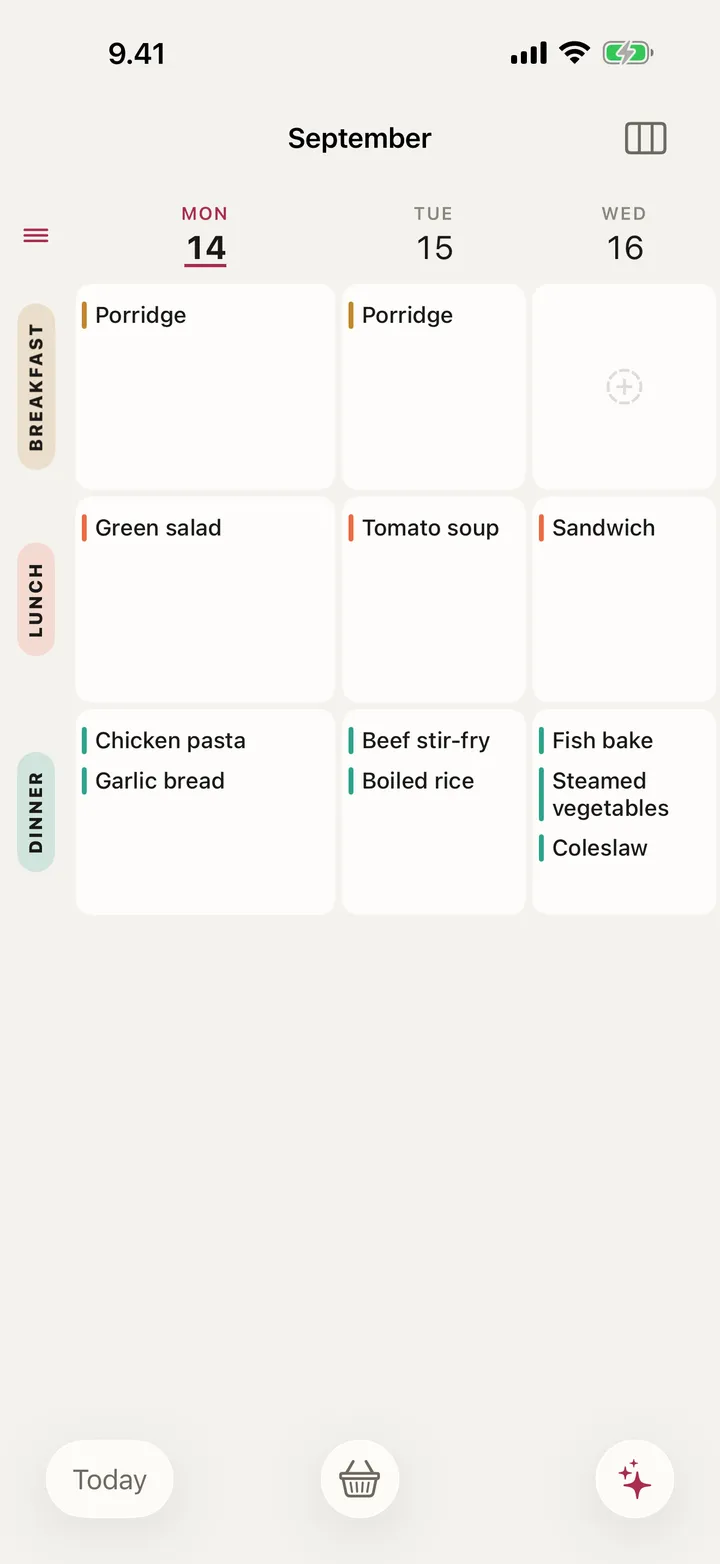
Meal planning and groceries · iPhone and iPad
Days down the side, meals across the top. The shopping list writes itself — and keeps up when the week doesn't go to plan.
Coming to the App Store
See how it worksFree to start · No account · Nothing leaves your iCloud
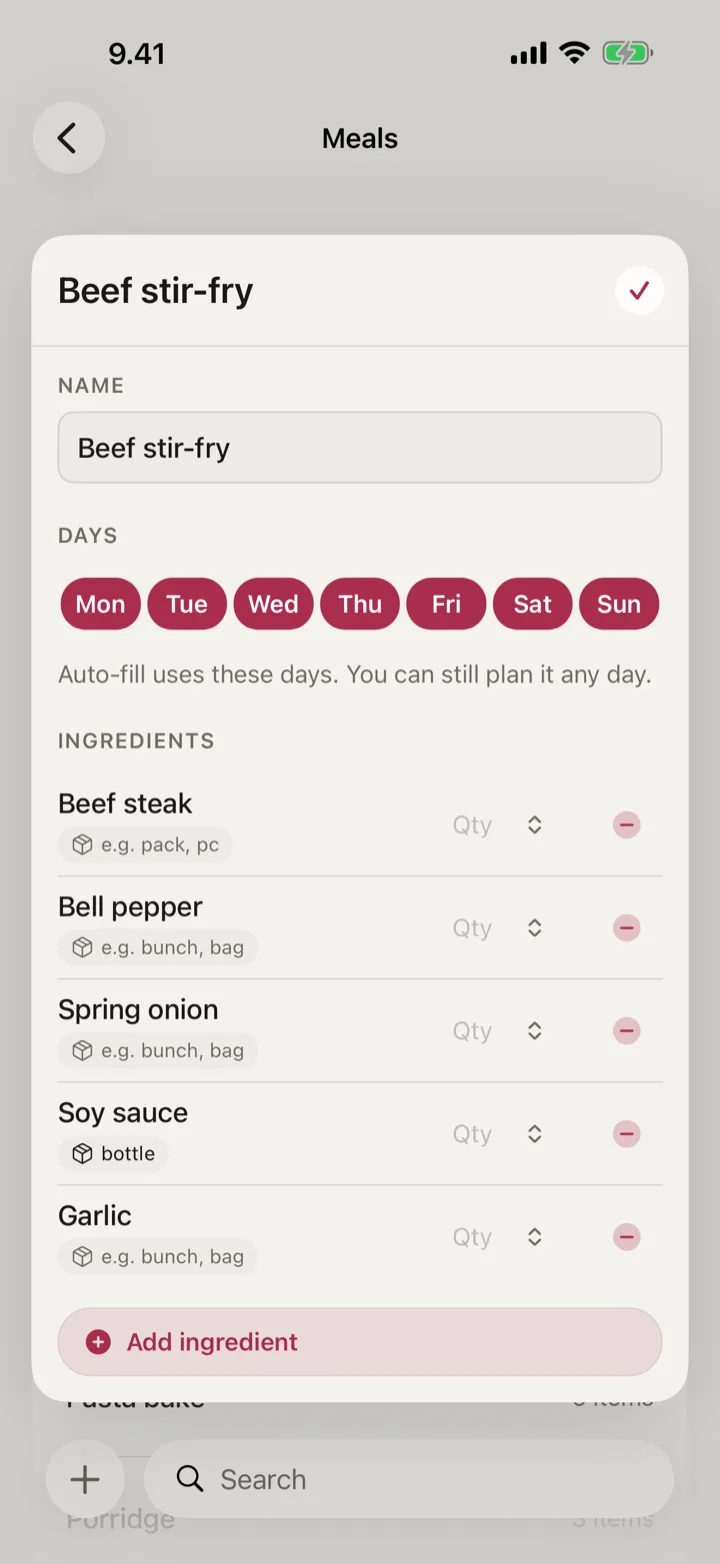
First, a definition
It is a name, the things that go in it, and what auto-fill may do with it.
How it works
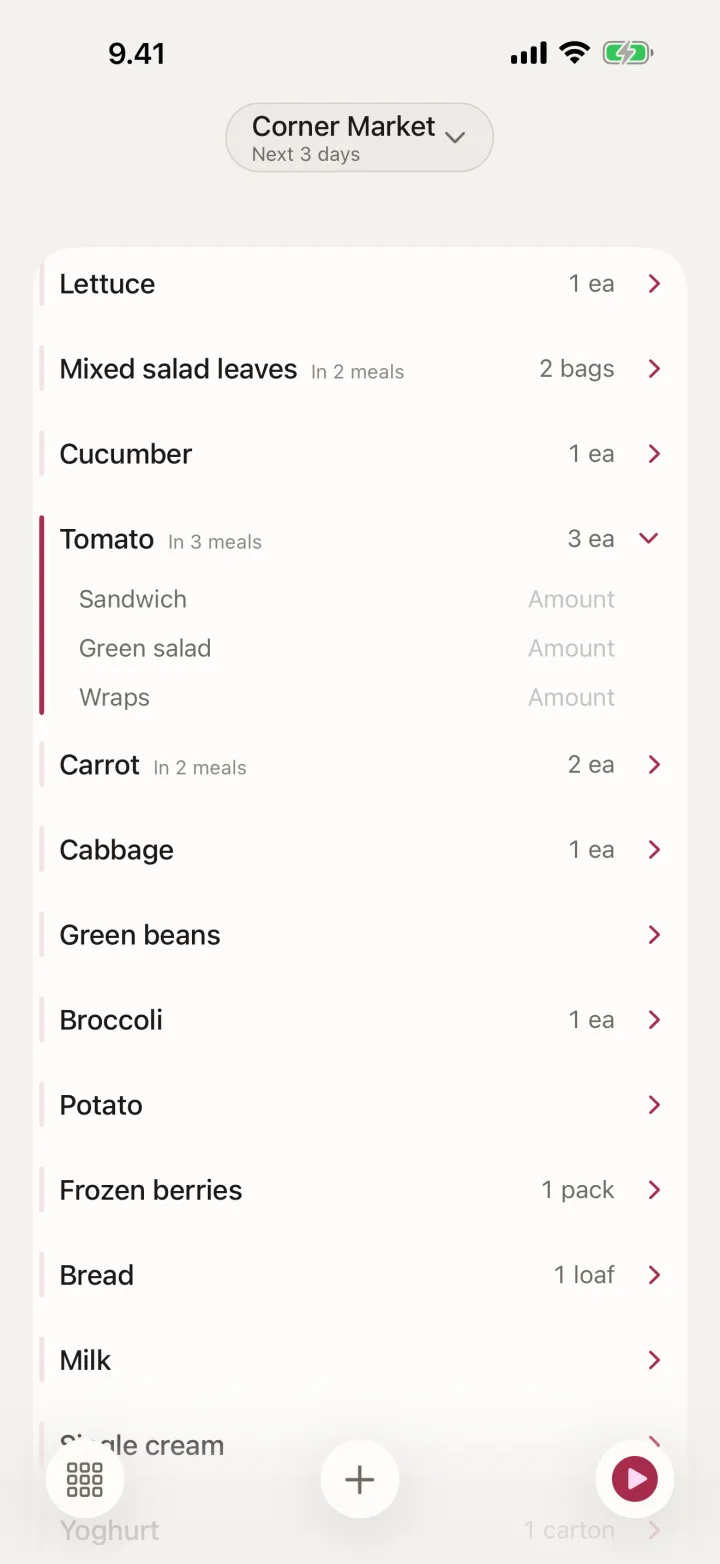
When the week changes
Somebody works late. Somebody brings a pizza home. Tuesday's chili slides to Wednesday.
Most planners are a calendar you fill in. OneList is one you keep changing.
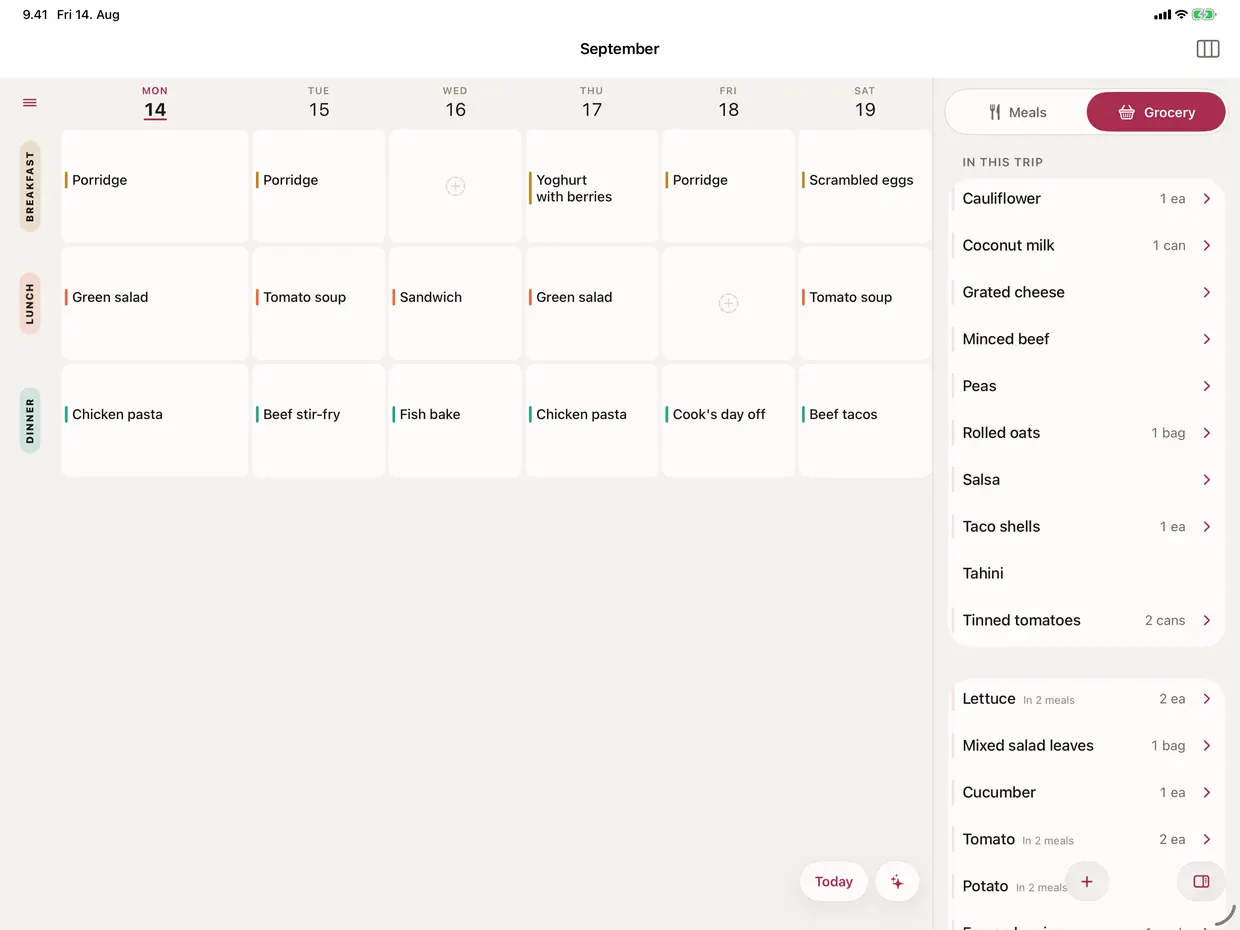
On iPad
The grid, and the shopping beside it.
Privacy
Pricing
Two things cost money: generating a new list, and owning a shared household.
€0
€14.99 / year
€24.99 / year
or €79.99 once, for good
Prices in EUR, VAT included. Both subscriptions start with a free month, once per Apple Account. You buy inside the app; purchases are handled by Apple.
Questions
Yes. Shampoo, deodorant, nappies, cat food, bin bags — 34 non-food items ship in the catalog, and anything missing you type once.
No meal will ever put toilet paper on a list. These live in Regulars instead, and one tap adds one to the list you are working.
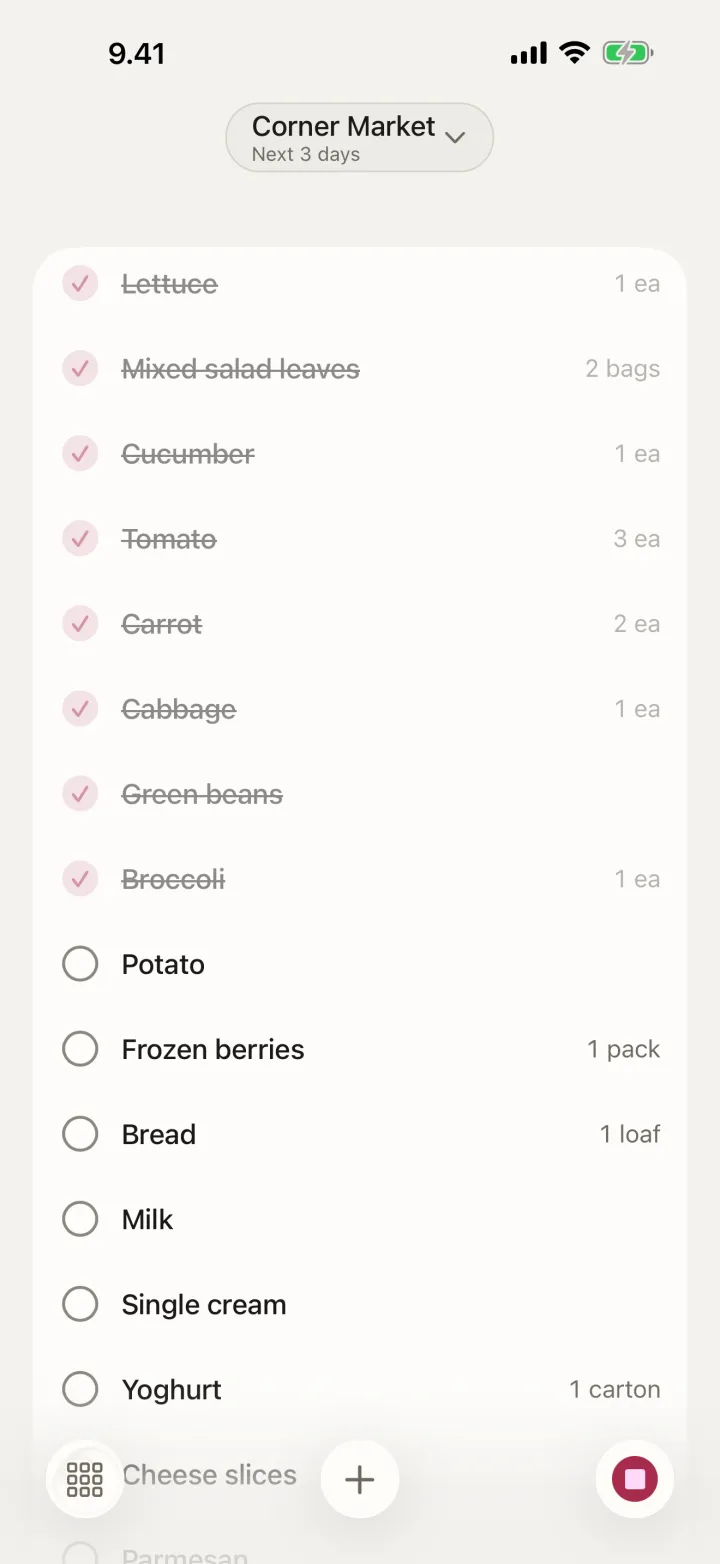
It learns the order of your shop. Not by asking you to sort things into aisles — by noticing the order you tick things off.
There are no categories in OneList and no setup screen. The order is kept per shop, and a line in the wrong place is one drag to fix.
Mark an item We keep this at home and planned meals stop putting it on the list.
Everything held back collects in a At home section at the foot of the list. One tap adds it back for this trip; one swipe, for good.
It offers; it never adds. OneList reads the gaps between your own purchases and puts at most three due items in Might be running out, at the foot of the list.
Each one says why it is there — Usually every 5 days — and nothing reaches a list without a tap.
A household is one plan, one list and one walk through one shop, shared with everyone at home. The owner pays and the members never do.
No. Those three rows are only the ones you start with. Settings → Meal Slots renames them, reorders them, adds a fourth, or removes one you do not use.
Under each name are the days auto-fill uses that slot — lunch at weekends only, if that is your week. You can still plan a meal on any day.
No model and no remote service picks a meal here. Auto-fill arranges meals the household has planned before, shows you the mix, and writes nothing until you accept it.
It never invents a dish.
Neither. There is no login, no sign-up and no server of ours. It lives on your device and syncs through your own iCloud.
A trip works with no signal at all.
One thing stops: generating a new list. Working a list you already have, resuming a trip, syncing your own devices and being a member of someone else's household stay free forever.
Everything you typed stays readable, and Settings → Export household writes the lot to a file — subscription or not.
Anything else is at support, where a person replies.

Coming to the App Store
iPhone and iPad · iOS 26 or later · Free to start